How to Make Your Instagram Account Private
In today’s digital age, privacy is not just a luxury; it’s a necessity. With social media platforms like Instagram growing in popularity, the need for controlling who sees your personal content has become increasingly important. Many users find themselves questioning how to keep their posts, stories, and reels safe from prying eyes. If you’re looking to take control of your Instagram experience, making your account private is a smart move. In this post, we’ll guide you through the simple steps to switch your Instagram profile from public to private, ensuring only approved followers can access your content.
Video Tutorial
Why You Might Be Looking for This Tutorial
There are several reasons why you might want to make your Instagram account private:
- Privacy Control: Keeping your personal life private from strangers can help protect your personal information and reduce unwanted attention.
- Content Security: A private account ensures that your posts, stories, and reels are only visible to those you trust.
- Quality Connections: By requiring approval for followers, you can curate your audience, leading to more meaningful interactions.
- Social Experimentation: If you’re a business or influencer, having a private account temporarily can allow you to engage with select followers while testing content ideas.
Steps to Make Your Instagram Account Private
- Open the Instagram App: Launch the Instagram app on your mobile device.
- Go to Your Profile: Tap on your profile icon located at the bottom right corner of the screen.
- Access Settings: Click on the three lines in the top right corner, then select ‘Settings’ at the bottom of the menu.
- Select Privacy: In the Settings menu, tap on ‘Privacy’ to access your privacy settings.
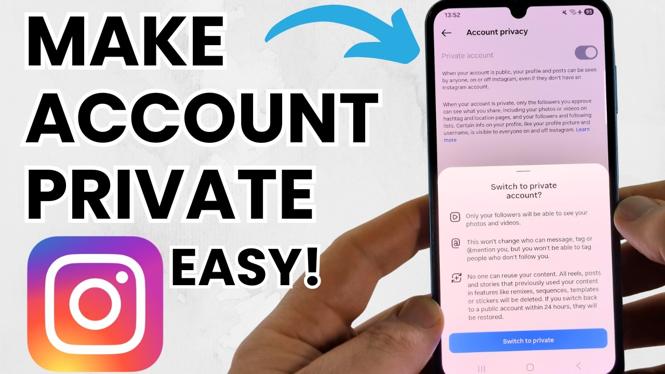
- Switch to Private Account: Find the ‘Private Account’ option and toggle the switch to turn it on. A pop-up will appear to confirm this change.
- Confirm Changes: Tap ‘OK’ to confirm that you want your account to be private.
Congratulations! You have successfully made your Instagram account private. Now, you can enjoy sharing your content with a manageable audience while maintaining a level of privacy you are comfortable with. Remember, you can always change your privacy settings back to public at any time if you decide to share your content with a wider audience.
More Instagram Tutorials:
 Subscribe Now! 🙂

Discover more from Gauging Gadgets
Subscribe to get the latest posts sent to your email.