How to Play Football Squares For Beginners
Football squares is one of the simplest yet most exciting games to play during the Super Bowl. Whether you’re hosting a party or joining one, understanding how to play can enhance your experience and give you a chance to win. In this blog post, we will provide a comprehensive guide on how to set up a football squares grid, fill in the numbers, and determine the winners for each quarter of the game.
Why You Might Be Looking for This Tutorial
If you’re new to the world of Super Bowl parties or have heard about football squares but have no idea how it works, you’re in the right place. This tutorial will guide you step-by-step, ensuring that you can confidently participate in this fun tradition. You’ll learn the basics, impress your friends with your knowledge, and, most importantly, have a great time as you watch the game unfold.
Steps to Play Football Squares
Follow these simple steps to set up and play football squares:
- Gather Your Supplies: You will need a large piece of paper or a whiteboard, a pen, and a group of participants.
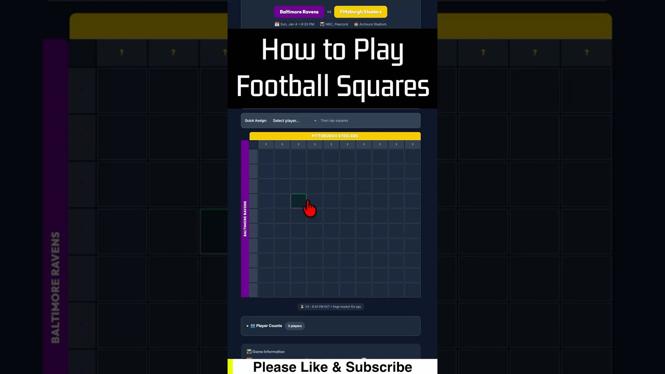
- Create the Grid: Draw a 10×10 grid on your paper or whiteboard. This will yield 100 squares in total.
- Label the Teams: At the top of the grid, label one team (e.g., Team A) and on the left side, label the other team (e.g., Team B).
- Distribute Squares: Participants will choose squares, typically by writing their names in the boxes. Each square will correspond to a specific score combination for the teams.
- Assign Numbers: Once all squares are filled, randomly assign numbers 0-9 to each row and column. These numbers will correspond to the last digit of the teams’ scores.
- Determine Winners: At the end of each quarter, look at the score of each team and find the corresponding numbers on the grid to determine the winner for that quarter.
Now you’re ready to enjoy the game and see how the scores affect the squares! Good luck!
Video Tutorial
For a visual guide, watch this tutorial on how to play football squares:
More Football Squares Tutorials:
 Subscribe Now! 🙂

Discover more from Gauging Gadgets
Subscribe to get the latest posts sent to your email.